How to Pay Your MEPCO Bill Online
You do not need to stand in a bank queue. With your 14-digit reference number you can pay from a wallet app, any bank app, an ATM — or still over the counter if you prefer cash.
Payment methods at a glance
Every method below settles the same bill against the same reference number — pick whichever you already use. Fees are what the channels generally charge today; an app can change its fee, so glance at the confirmation screen before you approve.
| Method | Where / how | Typical fee | Confirmation |
|---|---|---|---|
| JazzCash app | In the app: Bill Payment → Electricity → MEPCO, then enter your reference number | Free for most users | Instant — save the transaction ID |
| Easypaisa app | In the app: Bill Payment → Electricity → MEPCO, then enter your reference number | Free for most users | Instant — SMS receipt |
| Bank apps & internet banking (1Bill) | Your own bank’s app or website: Payments → 1Bill → Electricity → MEPCO | Free at most banks | Instant — note the payment reference |
| ATM | Any bank’s ATM: Bill Payments → Utilities → MEPCO / 1Bill | Usually free with your own bank’s card | Instant — printed receipt |
| Bank branch counter | Any branch, with a printed bill or duplicate copy | Free | Instant — stamped copy of your bill |
| Post office & NADRA e-Sahulat | Over the counter, with your bill or its reference number | A small service fee may apply at agent counters | Instant — printed receipt |
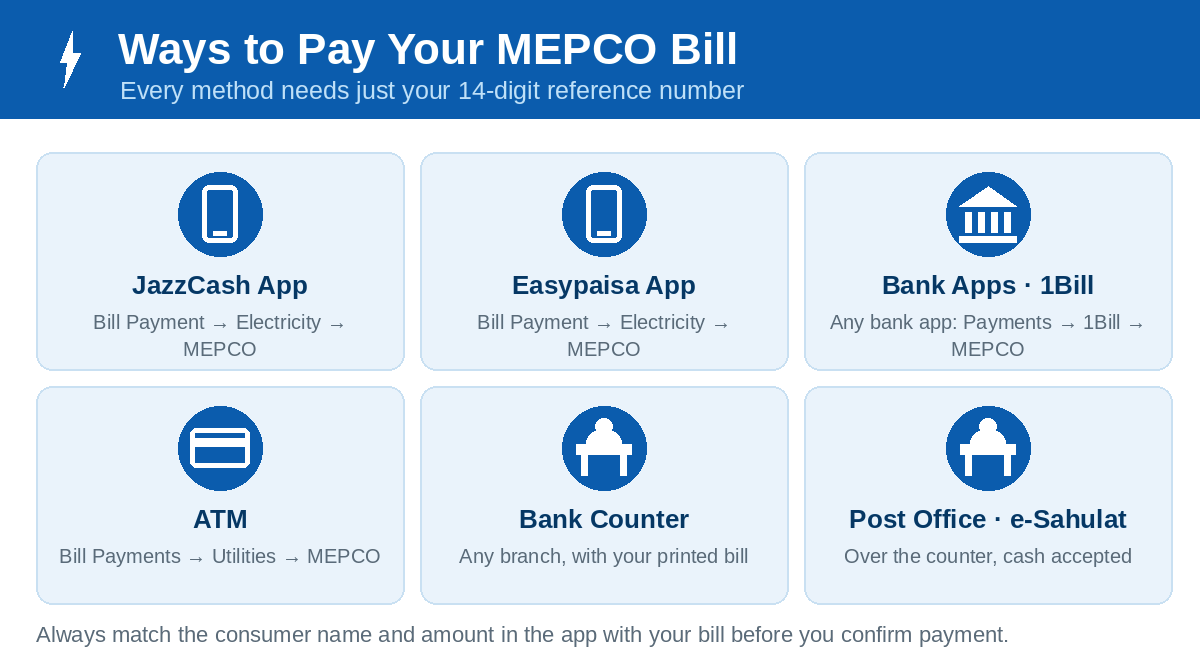
Pay with JazzCash
- Open the JazzCash app and sign in.
- Tap Bill Payment (utilities), then choose Electricity.
- Select MEPCO from the company list.
- Enter your 14-digit reference number (digits only) and tap to fetch the bill.
- Confirm the consumer name and amount match your bill, then authorise with your JazzCash MPIN.
- Save the confirmation screen or transaction ID — you will want it until the payment shows as received.
Pay with Easypaisa
- Open the Easypaisa app and sign in.
- Go to Bill Payment → Electricity.
- Choose MEPCO and enter your reference number.
- The app fetches the payable amount — check the name and due date, then confirm with your PIN.
- Keep the transaction ID from the success screen or the SMS receipt.
Pay through any bank app — 1Bill
Almost every Pakistani bank app (and internet banking portal) pays electricity bills through the shared 1Bill service. The menu names differ slightly, but the flow is the same:
- Open your bank app and find Payments / Bill Payments.
- Choose 1Bill (or “Utility Bills”), then Electricity → MEPCO.
- Where the app asks for a “consumer number”, enter your 14-digit reference number, digits only.
- The app shows the fetched bill — verify the name and amount, then pay from your account.
- Note the reference/transaction number in the confirmation for your records.
Paying someone else's bill for them works exactly the same way — the money is credited against whichever reference number you enter, so double-check those 14 digits.
Pay at an ATM
- Insert your debit card at any ATM and enter your PIN.
- Choose Bill Payments → Utilities → Electricity.
- Select MEPCO / 1Bill and key in the reference number.
- Confirm the amount on screen and complete the payment. Take the printed receipt.
Pay in person
Cash still works everywhere: take a printed duplicate bill to any bank branch, the post office, or a JazzCash/Easypaisa retailer shop. The agent scans or keys the reference number, takes the cash and stamps your copy or issues a receipt. Keep that stamped copy or receipt until the next bill confirms the payment.
Due dates and the late-payment surcharge
Every bill shows two figures: the amount within the due date and a higher amount after the due date. The difference is the late-payment surcharge, and it is charged automatically once the date passes — no app or bank can waive it. Two habits save money and trouble:
- Pay a day or two early. Payments made late at night on the due date can be processed the next working day by some channels.
- Pay the within-date amount only before the due date. If you pay after it, pay the full after-date amount shown on the bill, otherwise a balance carries forward. If paying the full amount at once is not possible this month, a bill can sometimes be split into parts — see the bill installments guide.
If a payment goes wrong
- Balance deducted but no confirmation: note the time and transaction ID, and wait a few hours — most failed payments reverse automatically. If not, contact the wallet/bank helpline with the transaction ID.
- Paid but next bill shows it unpaid: follow the checks in our bill paid or not guide, and keep your receipt — it is your proof at the MEPCO office.
- Wrong reference number paid: contact the payment provider immediately; reversals are only possible before the payment is settled.